My Real Experience Using It on WordPress Websites
If you’ve ever searched for a fast and flexible WordPress theme, you’ve probably come across Blocksy. I did too—after testing and working with multiple themes over the years for blogs, business websites, and client projects.
I’ve used many popular WordPress themes, and Blocksy is one of the few that genuinely surprised me in a good way. It’s lightweight, modern, and packed with customization options without feeling bloated.
In this article, I’ll share my personal experience using the Blocksy WordPress theme—what I like, what I don’t, and whether I think it’s worth using in 2026. I’ll also explain the real differences between Blocksy Free vs Blocksy Pro, so you can decide which version makes sense for you.
Why I Pay Attention to WordPress Themes
A WordPress theme is not just about design. In my experience, the theme you choose affects:
• Website speed and performance
• SEO and Core Web Vitals
• How easy it is to manage content
• How fast you can build or update a site
I’ve seen great-looking websites fail because they were slow or hard to maintain. That’s why I care a lot about performance-focused themes—and that’s what initially drew me to Blocksy.
What Is Blocksy? My First Impression
Blocksy is a modern WordPress theme built with performance and flexibility in mind. The first thing I noticed when installing it was how clean and fast it felt compared to many multipurpose themes.
I’ve used Blocksy for:
• Blog-style websites
• Business presentation sites
• Test WooCommerce stores
What stood out immediately was how deeply it integrates with the WordPress Customizer, letting me see changes in real time without jumping between settings and previews.
Key Features I Actually Use
Blocksy has a long feature list, but here are the ones I personally use and appreciate the most:
• Lightweight structure that loads fast
• Deep customization through the WordPress Customizer
• Excellent typography and color controls
• Flexible header and footer builder
• Strong Gutenberg support
• Compatibility with Elementor and other builders
From a practical point of view, Blocksy doesn’t force you into a specific workflow. You can keep things simple or go very deep with customization.
Design & Customization: My Honest Take
One of the reasons I keep coming back to Blocksy is how much control it gives me over design without needing extra plugins.
I can easily:
• Set global fonts and colors
• Adjust spacing and layout widths
• Create different header styles for different pages
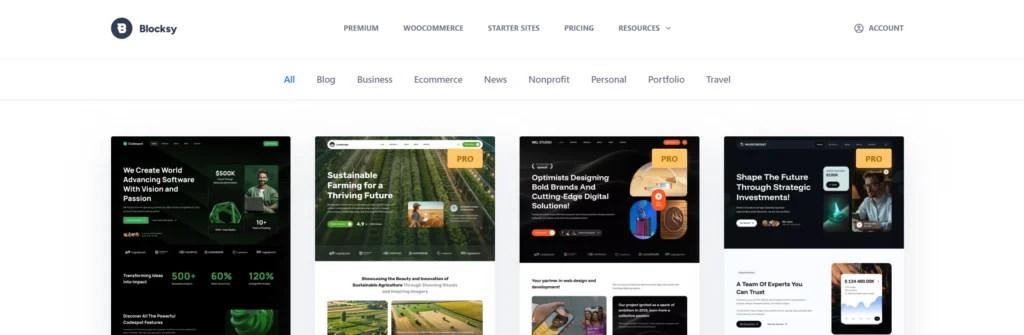
The starter sites are also useful. I don’t always use them, but when I want to launch a project quickly, they save a lot of time.
That said, beginners may feel overwhelmed at first. There are many options—but once you understand the structure, everything makes sense.
Performance and Speed: Where Blocksy Really Shines
Speed is where Blocksy really earns its reputation.
In my tests and real-world use, Blocksy consistently delivers:
• Fast initial load times
• Clean HTML structure
• Minimal unnecessary scripts
Lazy loading for images boosts performance automatically. With decent hosting and basic optimization, it’s easy to get very good PageSpeed scores using Blocksy.
Page Builder Compatibility (What I Use)
I mainly work with:
• Gutenberg (WordPress Block Editor)
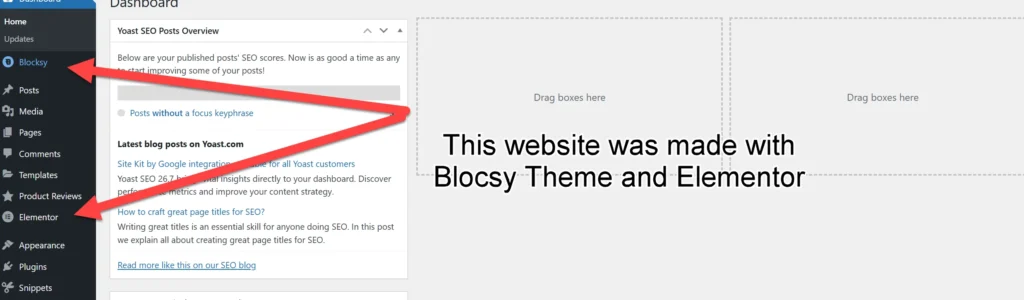
• Elementor
Blocksy works very well with both. It doesn’t fight the builder or add unnecessary styling conflicts. If you prefer building layouts visually, Blocksy stays out of the way—in a good sense.
Using Blocksy with WooCommerce
I’ve tested Blocksy with WooCommerce, and it’s a solid option if you want a clean and fast online store.
Out of the box, you get:
• Well-structured shop and product pages
• Layout customization options
• A design that doesn’t feel heavy or cluttered
If you’re running a serious store, some of the more advanced WooCommerce features are in Blocksy Pro—but even the free version works well for small shops.
Blocksy Free vs Blocksy Pro: My Real Opinion
This is one of the most common questions I see: Is Blocksy free enough, or do you need Pro?
Blocksy Free – Who It’s For
The free version is surprisingly powerful. I’d recommend it if you:
• Run a blog or personal website
• Need a fast business presentation site
• Want strong customization without paying
You get speed, design flexibility, and WooCommerce support—all for free.
Blocksy Pro – When It Makes Sense
Blocksy Pro is worth it if you:
• Build websites for clients
• Need advanced header behavior or conditional layouts
• Want dynamic content and hooks
• Run a WooCommerce store that needs extra features
Personally, for client work and more complex projects, Blocksy Pro saves me time and reduces the need for extra plugins.
Affiliate Disclosure
Some links on NicuLucanu.com are affiliate links. This means that if you click and purchase through them, I may earn a commission at no extra cost to you. I only recommend products I personally use or have tested and believe add real value.
What I Like and What I Don’t
What I Like
• Excellent performance
• Clean, modern design
• Very strong free version
• Great Gutenberg integration
• Frequent updates
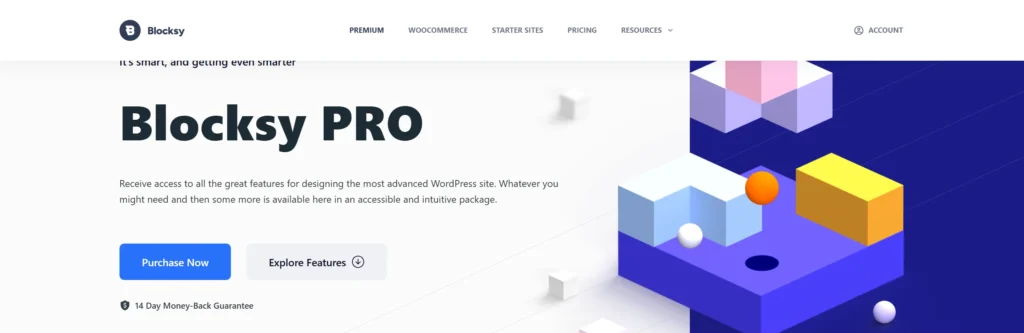
• If you chose Blocsy Pro Version you get the option to purchase the life license, is one option that I like a lot because you don´t have to pay every month or each year like other themes out there.
What I Don’t Like
• Many options can feel overwhelming at first
• Some advanced features require Pro
• Beginners may need time to learn the Customizer logic
These aren’t deal-breakers, but they’re worth knowing.
How Blocksy Compares to Other Themes I’ve Used
I’ve also worked with themes like Astra, GeneratePress, and Divi.
Compared to them:
• Blocksy offers deeper customization in the free version than most
• It feels more modern out of the box than Astra or GeneratePress
• It’s lighter and more performance-focused than many multipurpose themes
Each theme has its place, but Blocksy hits a very good balance between speed, flexibility, and usability.
Final Verdict: Would I Recommend Blocksy?
Yes—especially if you care about performance and flexibility.
Blocksy is one of the best free WordPress themes I’ve used, and the Pro version is a solid investment for professionals and WooCommerce users. Whether you’re building your first site or managing multiple projects, Blocksy gives you room to grow without slowing you down.
If you want a modern, fast, and future-proof WordPress theme, Blocksy is absolutely worth trying.
Grammarly checked
Blocksy Theme Review – Improved Article
Blocksy Theme Review (2026): My Real Experience Using It on WordPress Websites
If you’ve ever looked for a fast and flexible WordPress theme, you’ve probably seen Blocksy. I found it after trying out many themes over the years for blogs, business sites, and client projects.
I’ve tried many popular WordPress themes, but Blocksy is one of the few that really impressed me. It’s lightweight, modern, and offers lots of customization without feeling overloaded.
In this article, I’ll share my personal experience with the Blocksy WordPress theme: what I like, what I don’t, and whether I think it’s worth using in 2026. I’ll also explain the real differences between Blocksy Free and Blocksy Pro, so you can decide which version is right for you.