My Real Experience in Building WordPress Websites
When I build WordPress websites —whether for local businesses, personal projects, or client work— I always focus on three things:
• Structure
• Performance
• Scalability
Design matters, but a website that looks good and doesn’t rank or convert is useless.
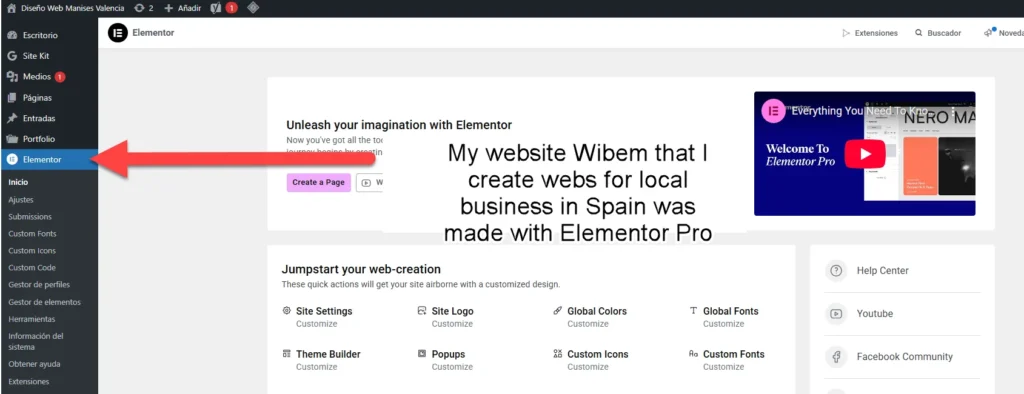
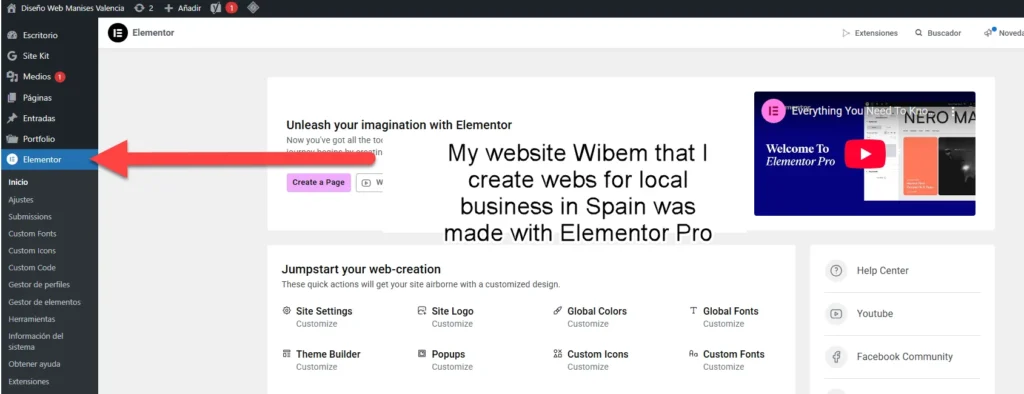
Elementor is one of the tools I’ve used the most over the years, and in this review, I want to explain how Elementor really performs in real projects, its pros and cons, and whether the free version is enough or Elementor Pro is worth the investment.
This is not a theoretical review. It’s based on real use.
What Is Elementor and Why So Many People Use It?
Elementor is a visual page builder for WordPress that allows you to design pages using drag and drop, without writing code. You see changes in real time, which makes the workflow much faster compared to the default WordPress editor.
It’s widely used because:
• It’s easy to start with
• It works with almost any theme
• It scales from simple blogs to complex websites
I’ve personally used Elementor for:
• Local business websites
• Landing pages
• Corporate sites
• WooCommerce stores
• Personal brands
If you want to check what Elementor can do without paying anything, starting with the free version is more than enough to understand its workflow.
You can download Elementor directly from the WordPress plugin repository.
Why I Use Elementor in My Projects
I don’t use Elementor for every project by default.
I use it when it makes sense.
Elementor works especially well when:
• The project needs flexible layouts
• The client wants visual control
• Speed of development matters
• The website needs to grow over time
For most professional projects, I combine Elementor with:
• A lightweight theme
• Good hosting
• Proper SEO structure
That combination is what really makes the difference.
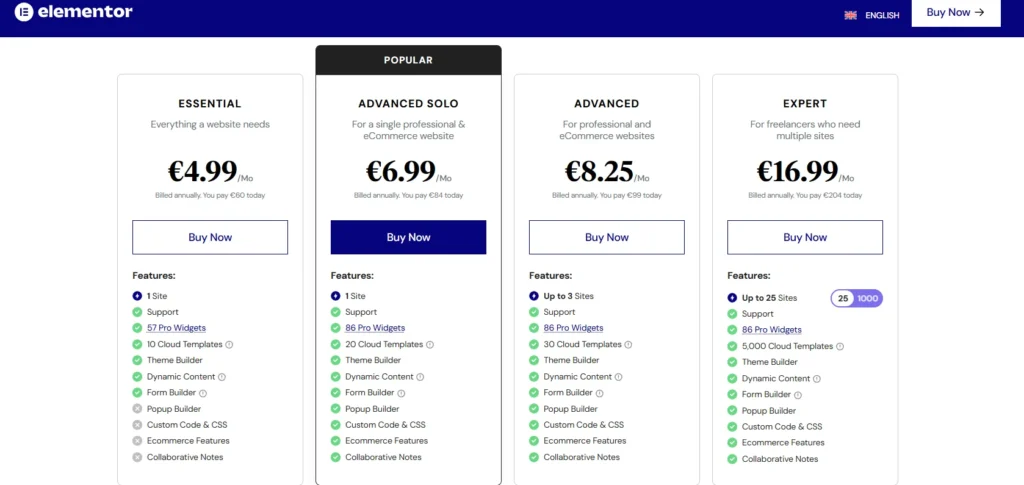
Elementor Free vs Elementor Pro: The Real Difference
|
Feature |
Free |
Pro |
|
Visual Builder |
Yes |
Yes |
|
Responsive Design |
Yes |
Yes |
|
Templates |
Limited |
Full |
|
Theme Builder |
No |
Yes |
|
Forms |
No |
Yes |
|
Popups |
No |
Yes |
|
Dynamic Content |
No |
Yes |
|
WooCommerce Builder |
No |
Yes |
|
Custom CSS |
No |
Yes |
Pros and Cons of Elementor (From Real Use)
Pros
1. Faster Development
Building layouts visually is much faster than coding everything manually.
2. Clear Visual Control
You see exactly what you’re building, and clients understand it easily.
3. Large Ecosystem
There are countless tutorials, add-ons, and integrations available.
4. SEO-Friendly Structure
If you know what you’re doing, Elementor allows clean heading hierarchy and content organization.
5. Ideal for Business Websites
Especially when combined with Elementor Pro.
Cons
1. Performance Depends on Usage
Overusing widgets, animations, or poor hosting can slow a site down.
2. Builder Dependency
If you remove Elementor later, layouts will need to be rebuilt.
3. Pro Is Almost Required
For serious projects, the free version is usually not enough.
Elementor and Performance: Let’s Be Honest
Elementor itself is not slow.
Performance depends on:
• Hosting quality
• Theme choice
• Image optimization
• How Elementor is used
I’ve built Elementor websites that load fast and pass Core Web Vitals without issues.
I’ve also seen slow Elementor websites — usually because of bad practices, not the tool.
Elementor and WooCommerce
If you work with WooCommerce, Elementor Pro is a major advantage.
It allows you to:
• Design custom product pages
• Improve conversion-focused layouts
• Customize shop and category templates
This level of control is hard to achieve with default WooCommerce alone.
Affiliate Disclosure
Some links on NicuLucanu.com are affiliate links. This means that if you click and purchase through them, I may earn a commission at no extra cost to you. I only recommend products I personally use or have tested and believe add real value.

Frequently Asked Questions
Is Elementor free enough?
For simple websites, yes. For business websites, usually no.
Is Elementor Pro worth it?
If you build websites regularly, yes. It saves time and avoids extra plugins.
Does Elementor slow down WordPress?
Not by itself. Poor hosting and bad optimization are the real problems..
Can Elementor be used for client websites?
Yes, and it’s very client-friendly.
Final Verdict: Is Namecheap Hosting Worth It?
Namecheap hosting is an excellent choice for users looking for affordable, reliable, and beginner-friendly hosting. While it may not offer the advanced performance of premium hosting providers, it delivers strong value for the price.
If you are launching a new website, managing a blog, or running a small business site, Namecheap hosting provides all the essential tools you need to get started without overspending. For growing websites, the ability to scale to VPS or dedicated hosting ensures long-term flexibility.
Overall rating: ⭐⭐⭐⭐☆ (4/5)
Great value, solid performance, and ideal for beginners and small businesses.
Affiliate Disclosure
Some links on NicuLucanu.com are affiliate links. This means that if you click and purchase through them, I may earn a commission at no extra cost to you. I only recommend products I personally use or have tested and believe add real value.
Can I stop using Elementor later?
Yes, but expect redesign work if you switch builders.
Who Elementor Is For (My Recommendation)
I recommend Elementor if you:
• Build WordPress websites for clients
• Create local business websites
• Want design flexibility without heavy coding
• Need scalable layouts over time
I don’t recommend it if you:
• Want a minimal, no-builder setup
• Prefer pure Gutenberg or custom code only
Final Verdict
Elementor is not perfect, but it’s one of the most practical tools available for WordPress today.
Used correctly, it allows you to:
• Build faster
• Design better
• Scale projects
• Maintain control over SEO and structure
If you’re starting, try the free version first.
If you’re building professional websites, Elementor Pro becomes hard to ignore.
My Rating
⭐⭐⭐⭐½ (4.5/5)
I don’t recommend it if you:
• Want a minimal, no-builder setup
• Prefer pure Gutenberg or custom code only